Overlay

Switching your mortgage rate

Switching your rate in our app

You can switch your rate in the app

If your mortgage account number starts with 65 you can now switch your mortgage through manage your mortgage on our app:
  • Your current deal is nearly finished.
  • Your deal has ended and your now on the standard variable rate (SVR).
  • You’re on a tracker rate and want to move to a fixed rate.
Information Message
Getting help and support

You might need to talk to us if:

  • You’re still in your fixed‑rate period and want to switch early (Early Repayment Charges may apply).
  • You have a NatWest International Offset mortgage.
Information Message

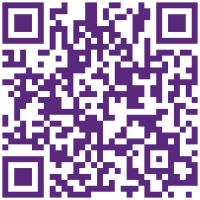
mortgage accounts QR code

Log in to manage your mortgage on the app

You can download the NatWest International app from your device's app store.

  1. Open the App Store (iPhone) or Google Play Store (Android).
  2. Search for "NatWest International".
  3. Select the app and tap Download or Install.
  4. Once installed, open the app and follow the on-screen instructions to get started.

If you need any assistance with registering or setting up the app, we're happy to help guide you through the process.